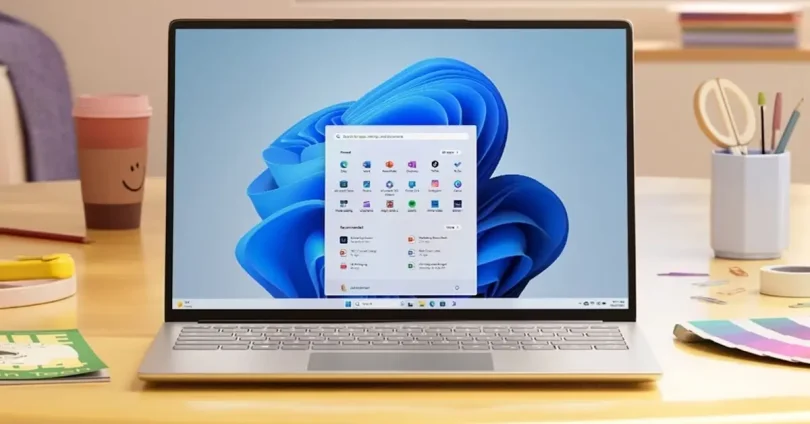

Having the right software is crucial for every PC user. Whether you are working, studying, gaming, or browsing the internet, the software you choose directly affects your productivity, security, and overall system performance. A well-equipped PC allows you to complete tasks faster, stay protected from malware, and enjoy a smoother computing experience. Essential software for PC users
This guide will cover the most essential software categories every PC user should have, including security tools, productivity apps, media players, system optimization programs, and specialized software for gaming or creative work. By using the right tools, you can keep your PC running efficiently, safely, and reliably, no matter your skill level or computer experience.
Operating System Tools
Why OS Tools Are Essential
Every PC comes with built-in tools designed to help you maintain performance, troubleshoot issues, and protect your system. Learning to use these tools effectively can save you time, prevent errors, and improve overall PC speed without installing extra software.
Key Windows Tools
- Task Manager: Monitor CPU, RAM, and disk usage to identify programs that slow down your PC. You can also manage startup programs here to speed up boot time.
- Disk Cleanup: Remove temporary files, system caches, and unnecessary files that take up space and slow down your computer.
- Defragment and Optimize Drives: For HDD users, defragmenting reorganizes files for faster access. SSD users can rely on Windows’ built-in optimization.
- Windows Defender: Provides free antivirus and real-time protection against malware, keeping your system safe.
Tips for Using OS Tools Effectively
- Regularly check Task Manager to identify and close resource-heavy programs.
- Run Disk Cleanup at least once a month to free up storage and reduce lag.
- Keep Windows updated to access the latest security patches and performance improvements.
- Use Defragment and Optimize Drives for HDDs to maintain speed and efficiency.
Benefits of OS Tools
Using these built-in tools helps your PC run smoothly, safely, and efficiently without relying on third-party apps. They are ideal for beginners and provide a solid foundation for maintaining your system before adding other essential software.
Antivirus and Security Software
Why Antivirus Software Is Essential
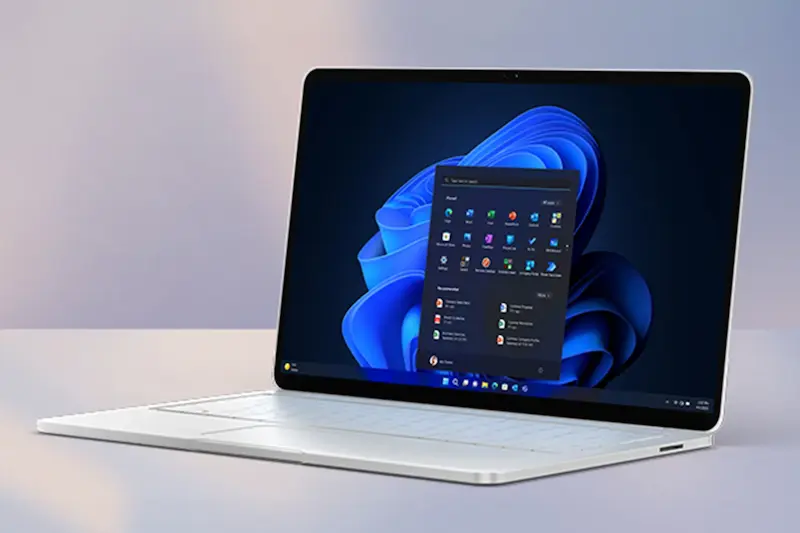
Protecting your PC from malware, viruses, ransomware, and phishing attacks is critical. Without reliable antivirus software, your personal data, files, and system performance could be at risk. Antivirus programs help detect threats early, remove harmful software, and prevent system slowdowns caused by malware.
Recommended Antivirus Software
- Windows Defender: Built into Windows, free, and provides real-time protection against most common threats.
- Bitdefender: Offers advanced protection, minimal system impact, and regular updates.
- Malwarebytes: Effective for removing malware that other antivirus programs might miss.
- Kaspersky: Trusted antivirus solution with strong malware detection and additional security features.
Features to Look For
- Real-time protection: Continuously scans for threats while you work or browse.
- Automatic updates: Ensures your antivirus is always ready to handle new threats.
- Minimal performance impact: Protects your PC without slowing down daily tasks or gaming.
- Scheduled scans: Lets you automatically check your PC for malware regularly.
Tips for Maximizing Security
- Avoid running multiple antivirus programs at the same time to prevent conflicts.
- Enable the firewall to block unauthorized access.
- Keep your antivirus updated and perform full scans at least once a week.
- Use strong, unique passwords and consider a password manager for additional security.
Benefits of Antivirus Software
Having reliable antivirus protection keeps your PC safe from threats, reduces the risk of data loss, and ensures your system runs smoothly. It is one of the most important pieces of software every PC user should install immediately.
you may also like to read these posts;
Smart Home Gadgets Review 2026: Top Devices for Convenience & Security
New Wearable Technology Trends 2026: Top Devices for Health & Productivity
Top Budget Gadgets for Students 2026: Affordable Tech for Study & Productivity
Innovative Gadget Reviews 2026: Top Smart Devices You Need to Know
Gadget Buying Guide 2026: How to Choose the Best Devices for Your Needs
Web Browsers
Why Web Browsers Are Essential
A web browser is the gateway to the internet, making it one of the most important pieces of software on your PC. Choosing the right browser ensures fast browsing, better security, and access to useful extensions that can boost productivity and enhance your online experience.
Recommended Web Browsers
- Google Chrome: Fast, widely supported, and offers a huge library of extensions. Ideal for both casual browsing and productivity.
- Mozilla Firefox: Focuses on privacy and security, with good speed and customizable features.
- Microsoft Edge: Integrated with Windows, fast, secure, and energy-efficient for laptops. Essential Software for PC Users
Tips for Using Browsers Efficiently
- Install ad-blockers or privacy extensions to reduce distractions and protect your data. Essential Software for PC Users
- Keep your browser updated to benefit from the latest security patches. Essential Software for PC Users
- Use sync features to access bookmarks, passwords, and settings across devices. Essential Software for PC Users
- Limit the number of open tabs to prevent high memory usage and slowdowns. Essential Software for PC Users
Benefits of Using the Right Browser
The right browser ensures faster page loading, secure online activity, and smoother multitasking. Using browsers optimized for speed and security helps prevent crashes and enhances productivity for both work and leisure. Essential Software for PC Users
Office and Productivity Software
Why Office and Productivity Software Is Essential
Office and productivity tools help you create documents, spreadsheets, presentations, and manage tasks efficiently. Whether you are a student, professional, or casual user, having the right software ensures that you can work faster, stay organized, and collaborate effectively. Essential Software for PC Users
Recommended Office Software
- Microsoft Office: The industry standard for Word, Excel, PowerPoint, and Outlook. Offers cloud integration for easy access across devices. Essential Software for PC Users
- LibreOffice: A free, open-source alternative to Microsoft Office with similar features for documents, spreadsheets, and presentations. Essential Software for PC Users
- Google Workspace: Cloud-based tools like Google Docs, Sheets, and Slides that allow real-time collaboration and easy sharing. Essential Software for PC Users
Tips for Using Productivity Software Efficiently
- Use templates to save time on documents and presentations. Essential Software for PC Users
- Learn keyboard shortcuts to perform tasks faster. Essential Software for PC Users
- Save documents to cloud storage for backup and access from any device. Essential Software for PC Users
- Use features like track changes, comments, and collaboration tools for teamwork. Essential Software for PC Users
Benefits of Office and Productivity Software
With the right productivity software, you can complete tasks faster, reduce errors, and improve workflow. These tools also make collaboration easier, whether you’re working on a project, studying, or managing personal documents.
Media Players and Editors
Why Media Players and Editors Are Essential
Media software allows you to play, organize, and edit audio, video, and images on your PC. Whether you enjoy watching movies, listening to music, or creating content, having reliable media tools ensures high-quality playback, smooth performance, and creative flexibility. Without proper media software, you may encounter compatibility issues, poor playback quality, or limited editing options. Essential Software for PC Users
Recommended Media Players
- VLC Media Player: Free, lightweight, and can play almost any video or audio format. Supports subtitles, streaming, and advanced playback controls. Essential Software for PC Users
- Windows Media Player: Built-in Windows player suitable for basic playback and simple media management.
- KMPlayer: Alternative player with support for high-resolution video and customizable settings. Essential Software for PC Users
Recommended Media Editors
- Audacity: Free audio editor for recording, editing, and mixing audio files. Ideal for podcasts, music, and sound effects.
- GIMP: Free, open-source image editor with advanced features similar to Photoshop. Perfect for photo editing and graphic design.
- Adobe Photoshop / Premiere Pro: Professional tools for image and video editing, offering powerful features for creators willing to invest in paid software.
Tips for Using Media Software Efficiently
- Keep your software updated to ensure compatibility with the latest file formats.
- Use playlists and libraries to organize audio and video files for easy access.
- Explore keyboard shortcuts in editing tools to speed up your workflow.
- Save frequently and back up important media projects to avoid data loss.
Benefits of Media Players and Editors
Using the right media software allows you to enjoy videos and music without interruptions, create high-quality content, and efficiently manage your media files. Whether for entertainment or professional work, these tools are essential for a versatile and productive PC experience.
File Compression and Backup Tools
Why File Compression and Backup Tools Are Essential
Managing files efficiently is a key part of maintaining a PC. File compression tools help reduce file size, making it easier to store or share large documents, media, and software. Backup tools ensure your important data is safe in case of hardware failure, accidental deletion, or malware attacks. Together, these tools protect your files and make your system more organized and reliable.
Recommended File Compression Tools
- 7-Zip: Free, lightweight, and supports many formats like ZIP, RAR, and TAR. Ideal for compressing and extracting files quickly.
- WinRAR: Popular tool with a user-friendly interface, good for both compression and file extraction. Offers strong encryption for security.
Recommended Backup Tools
- AOMEI Backupper: Free and easy-to-use software for creating full system backups, scheduled backups, or file-specific backups.
- Windows Backup and Restore: Built-in tool for creating system images and restoring files.
- Cloud Storage (Google Drive, OneDrive, Dropbox): Automatically backs up files to the cloud, allowing access from any device.
Tips for Using Compression and Backup Tools Efficiently
- Compress files before sharing or storing to save disk space.
- Schedule regular backups to protect against accidental file loss.
- Use cloud backups in addition to local backups for extra security.
- Organize backup folders by date or project to make retrieval easy.
Benefits of File Compression and Backup Tools
These tools help you save storage space, prevent data loss, and ensure files are easily accessible. With proper use, your PC stays organized, your important data is safe, and you can recover quickly in case of hardware issues or accidental deletion.
What is essential software for PC users?
Essential software includes basic programs every PC needs for daily use, such as antivirus tools, web browsers, office software, media players, and system utilities. These tools help keep your computer secure, productive, and easy to use.
Why is antivirus software important for a PC?
Antivirus software protects your PC from viruses, malware, spyware, and online threats. It helps keep your personal data safe and prevents your system from slowing down or getting damaged.
Which web browser is best for PC users?
Popular and reliable browsers include Google Chrome, Mozilla Firefox, Microsoft Edge, and Brave. The best choice depends on your needs, such as speed, privacy, or extensions.
Conclusion
Having essential software installed on your PC is important for smooth, safe, and productive use. From antivirus protection and web browsers to office tools and media players, each type of software plays a key role in improving performance and protecting your system. By choosing reliable and regularly updated software, PC users can avoid security risks, work more efficiently, and enjoy a better overall computing experience. Installing the right essential software helps keep your PC fast, secure, and ready for everyday tasks.