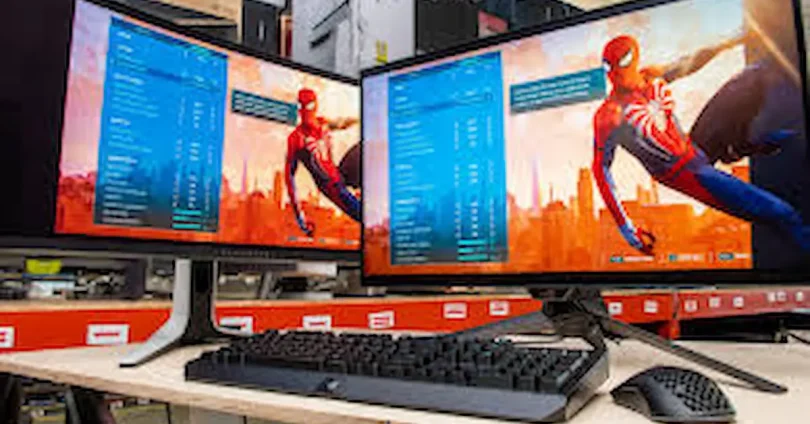

Choosing the right monitor is one of the most important decisions for any gamer. A good monitor can make the difference between smooth, immersive gameplay and frustrating lag or blurry visuals. Whether you’re playing fast-paced esports titles, exploring open-world adventures, or creating content, the monitor you use directly affects your gaming experience. Monitor comparison for gamers
With so many options available, it can be overwhelming to decide which monitor is best. Factors like resolution, refresh rate, response time, panel type, and adaptive sync technology all play a role in performance and visual quality. In this guide, we’ll break down everything you need to know about gaming monitors, compare the best options for different types of gamers, and provide tips to help you make the right choice based on your gaming style, budget, and preferences.
Key Factors to Consider in Gaming Monitors
When choosing a gaming monitor, several key factors affect your overall experience. Understanding these will help you select a monitor that fits your gaming style and hardware setup.
Resolution
Resolution determines how sharp and detailed your games look. Common options include 1080p (Full HD), 1440p (QHD), and 4K (Ultra HD). Higher resolution provides more detailed visuals, but also requires a more powerful graphics card to maintain smooth gameplay. For casual gamers, 1080p is often sufficient, while competitive or content-focused gamers may prefer 1440p or 4K for sharper visuals and immersive experiences.
Refresh Rate
The refresh rate, measured in Hz, indicates how many times the screen updates per second. Standard monitors have 60Hz, while gaming monitors can reach 120Hz, 144Hz, or even 240Hz. Higher refresh rates result in smoother motion, which is especially important for fast-paced or competitive games where every millisecond counts.
Response Time
Response time measures how quickly a pixel can change from one color to another, usually in milliseconds (ms). Lower response times, such as 1ms to 5ms, reduce motion blur and ghosting, making action games and shooters feel more responsive and precise.
Panel Type
Different panel technologies affect color, speed, and viewing angles.
- IPS (In-Plane Switching): Excellent color accuracy and wide viewing angles, ideal for content creators and immersive gaming.
- TN (Twisted Nematic): Very fast response times, but weaker colors and narrower viewing angles; preferred by competitive gamers.
- VA (Vertical Alignment): High contrast and good colors, but moderate speed; great for cinematic or immersive gaming.
Adaptive Sync Technology
Adaptive sync technologies like FreeSync (AMD) and G-Sync (NVIDIA) help eliminate screen tearing and stuttering by syncing your monitor’s refresh rate with your GPU’s output. This creates a smoother gaming experience, particularly in fast-paced or visually demanding games.
Size & Aspect Ratio
Monitor size and aspect ratio affect immersion and comfort. Standard monitors range from 24 to 27 inches, while ultrawide or curved monitors provide a wider field of view, enhancing immersion for racing, simulation, and open-world games. Curved monitors also reduce eye strain and improve focus by keeping edges of the screen within your natural field of vision.
Best Monitors for Different Types of Gamers
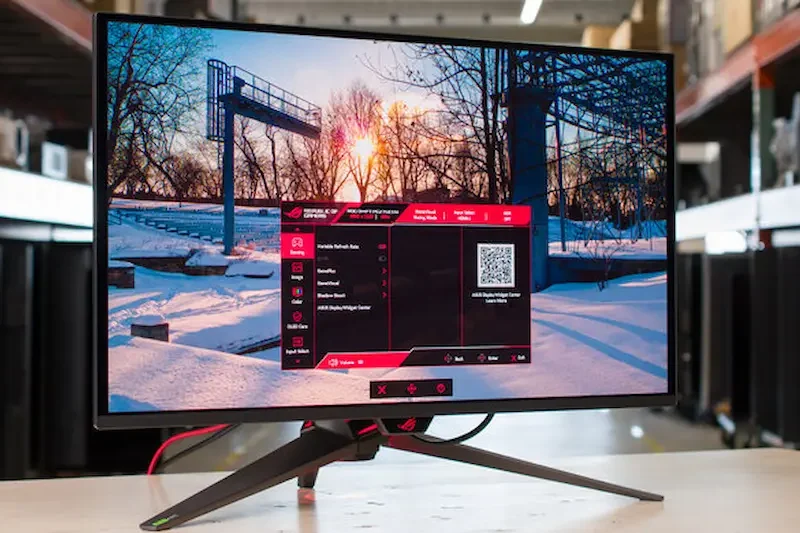
Not all gamers have the same needs, so choosing the right monitor depends on your gaming style, budget, and priorities. Selecting the perfect monitor can improve your performance, reduce eye strain, and enhance immersion. Here’s a detailed guide for different types of gamers.
Casual Gamers
Casual gamers who enjoy single-player adventures, story-driven games, or light multiplayer don’t need the most advanced monitors. A 1080p or 1440p monitor with a 60Hz to 144Hz refresh rate is usually sufficient. These monitors deliver clear visuals, smooth gameplay, and don’t require high-end graphics cards. Features like IPS panels provide good colors and wide viewing angles, enhancing general gaming enjoyment. Affordable options from brands like Acer, ASUS, and Dell offer reliable performance, easy setup, and solid build quality. Casual gamers can also consider curved monitors for immersive experiences without overspending.
Competitive/Esports Gamers
Competitive or esports gamers focus on speed, precision, and responsiveness rather than cinematic visuals. Look for monitors with high refresh rates (144Hz, 165Hz, or 240Hz), ultra-low response times (1ms), and TN or fast IPS panels. These features help eliminate motion blur and improve reaction times in shooters, MOBAs, and racing games. G-Sync or FreeSync support reduces screen tearing, giving players smoother gameplay. Top choices include ASUS ROG, BenQ Zowie, and Acer Predator, which are designed for esports professionals and serious competitive gamers. Monitors with smaller screen sizes (24-27 inches) are often preferred for esports, as they allow players to take in the entire screen without moving their eyes too much.
Content Creators & Immersive Gamers
Gamers who also stream, edit videos, or enjoy cinematic, open-world games need monitors with high resolution, wide color gamut, and excellent color accuracy. IPS panels, 1440p or 4K resolution, and ultrawide or curved monitors create a visually stunning and immersive experience. These monitors are ideal for RPGs, simulation games, and AAA titles where details and vibrant visuals matter. Popular models include LG UltraGear, Samsung Odyssey, and Dell UltraSharp, which provide a balance of professional-level color precision and smooth gaming performance. Larger screens and curved monitors enhance immersion, making players feel more “inside” the game world. Monitor Comparison for Gamers
Budget vs Premium Options
Budget-conscious gamers can still find monitors that offer good performance at lower prices, such as 1080p monitors with 75Hz-144Hz refresh rates and solid color quality. Premium monitors provide higher refresh rates, lower response times, better panels, and adaptive sync technologies, which enhance both casual and competitive gaming experiences. When choosing between budget and premium, consider how often you game, the types of games you play, and whether you value features like curved screens, ultrawide displays, or HDR support.
Tips for Choosing the Right Monitor
- Determine your gaming priorities: speed for esports, visuals for immersive or creative gaming. Monitor Comparison for Gamers
- Consider your hardware capabilities: high refresh rates and 4K resolution need strong GPUs. Monitor Comparison for Gamers
- Decide on size and ergonomics: ultrawide and curved monitors enhance immersion but take more desk space. Monitor Comparison for Gamers
- Factor in future-proofing: investing slightly more in refresh rates, response time, or resolution can make your monitor last longer. Monitor Comparison for Gamers
you may also like to read these posts;
Smart Home Gadgets Review 2026: Top Devices for Convenience & Security
New Wearable Technology Trends 2026: Top Devices for Health & Productivity
Top Budget Gadgets for Students 2026: Affordable Tech for Study & Productivity
Innovative Gadget Reviews 2026: Top Smart Devices You Need to Know
Gadget Buying Guide 2026: How to Choose the Best Devices for Your Needs
Gaming Monitor Comparison for Gamers
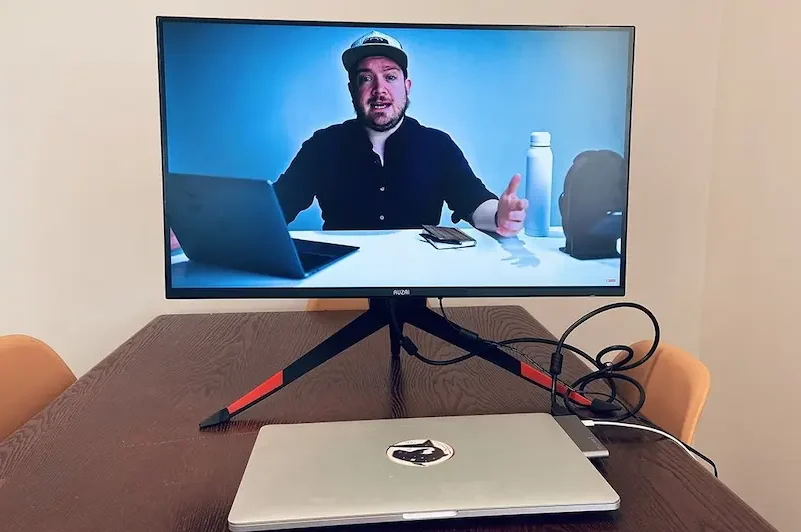
When it comes to gaming monitors, the brand can significantly influence performance, build quality, and features. Different brands focus on different strengths, so it’s important to know which one fits your gaming style and budget. Monitor Comparison for Gamers
ASUS
ASUS is known for its ROG (Republic of Gamers) series, which targets both competitive and immersive gaming. These monitors often feature high refresh rates (up to 360Hz), low response times (1ms), G-Sync/FreeSync support, and excellent color accuracy. ASUS monitors are ideal for competitive gamers and esports professionals, though some premium models can be expensive. The brand also offers mid-range options for casual gamers seeking reliable performance. Monitor Comparison for Gamers
Acer
Acer’s gaming monitors, especially the Predator series, offer strong performance and immersive visuals. They are known for high refresh rates, curved displays, and good build quality. Acer monitors are versatile, making them suitable for competitive gaming, immersive RPGs, and content creation. They provide a good balance between price and performance, with options for both budget and high-end users. Monitor Comparison for Gamers
BenQ
BenQ is particularly popular among competitive and esports gamers. Their Zowie series focuses on ultra-low response times, minimal input lag, and fast TN panels. BenQ monitors are often preferred by professional gamers because of their simplicity, reliability, and focus on speed rather than fancy features. They may lack ultrawide or curved options but excel in precision and responsiveness. Monitor Comparison for Gamers
Dell
Dell offers high-quality monitors that cater to both gamers and professionals. Their UltraSharp and S-series monitors provide excellent color accuracy, good contrast, and wide viewing angles, making them ideal for content creators and immersive gaming. Dell monitors are known for durability and ergonomic designs, though they may not always reach the extreme refresh rates that esports gamers prefer. Monitor Comparison for Gamers
Samsung
Samsung is a leader in curved and ultrawide gaming monitors. Their Odyssey series offers high refresh rates, QLED panels, deep contrasts, and immersive curved screens. Samsung monitors are perfect for gamers who value cinematic experiences, immersive RPGs, and simulation games. They often come with a higher price tag, but the premium visuals and innovative designs make them a popular choice. Monitor Comparison for Gamers
Key Takeaways
- ASUS: Best for esports and high-performance gaming. Monitor Comparison for Gamers
- Acer: Balanced option for immersive and competitive gaming. Monitor Comparison for Gamers
- BenQ: Ideal for competitive gamers focused on speed and responsiveness. Monitor Comparison for Gamers
- Dell: Great for color accuracy, content creation, and general gaming. Monitor Comparison for Gamers
- Samsung: Perfect for curved, ultrawide, and cinematic gaming experiences. Monitor Comparison for Gamers
Choosing the right brand depends on your gaming priorities, budget, and desired features. Each brand has its strengths, so understanding what you value most—speed, visuals, immersion, or versatility—will help you make the best decision.
What monitor is best for competitive gaming?
For competitive gaming, look for high refresh rates (144Hz or higher), low response times (1ms), and TN or fast IPS panels. Features like G-Sync or FreeSync help reduce screen tearing, giving smoother and more responsive gameplay. Smaller screens (24-27 inches) are often preferred for better focus.
Do I need a high-end GPU for 4K gaming?
Yes, playing games at 4K resolution requires a powerful graphics card to maintain smooth frame rates. If your GPU is mid-range, you might need to reduce settings or stick to 1440p for optimal performance.
Is a curved monitor better for gaming?
Curved monitors enhance immersion and field of view, making them ideal for RPGs, simulators, and open-world games. They also reduce eye strain by keeping screen edges closer to your natural field of vision. For competitive esports, a flat monitor is usually preferred for precise aiming and visibility.
Conclusion:
Choosing the right gaming monitor can significantly enhance your gaming experience, whether you’re playing competitively, exploring immersive worlds, or creating content. The best monitor for you depends on factors like resolution, refresh rate, response time, panel type, and adaptive sync technology. Casual gamers can find reliable, affordable monitors that provide smooth visuals, while competitive gamers benefit from ultra-fast monitors with high refresh rates and low response times. Content creators and immersive gamers should prioritize color accuracy, ultrawide or curved screens, and higher resolutions for the most engaging experience.