
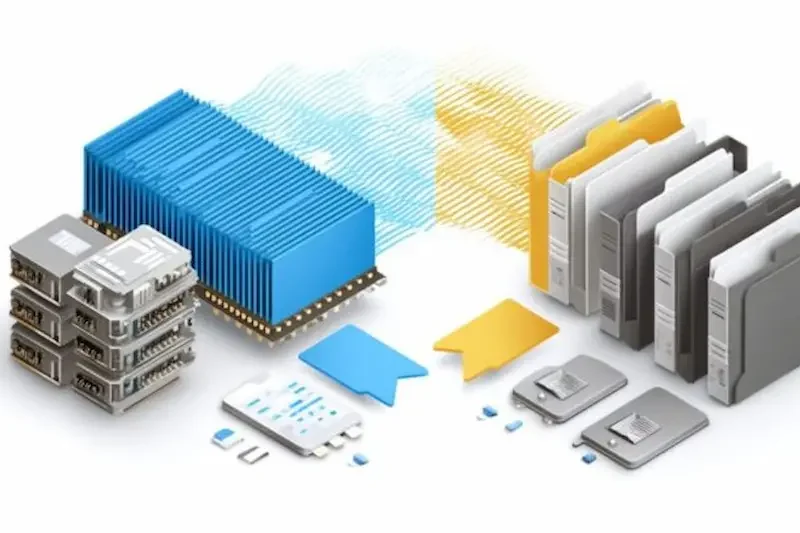
Storage is the upgrade decision almost every computer owner faces eventually. Your drive fills up, your machine feels slow, or you are building a new system and need to decide where the money goes. The SSD vs HDD debate sounds simple, and in terms of speed it is, but the best value depends on what you store, how you work, and whether the drive will hold your only copy of important files. This comparison explains the real differences in plain language, so you can spend on the capacity and performance you will actually use.
How SSD and HDD Storage Work
A hard disk drive, or HDD, stores data on spinning magnetic platters, with a moving arm reading and writing information much like a record player. That mechanical design has been refined for decades, which is why hard drives can offer very large capacities for a low price per terabyte. It is also why they are comparatively slow, noisy under load, and vulnerable to damage if dropped or knocked while running.
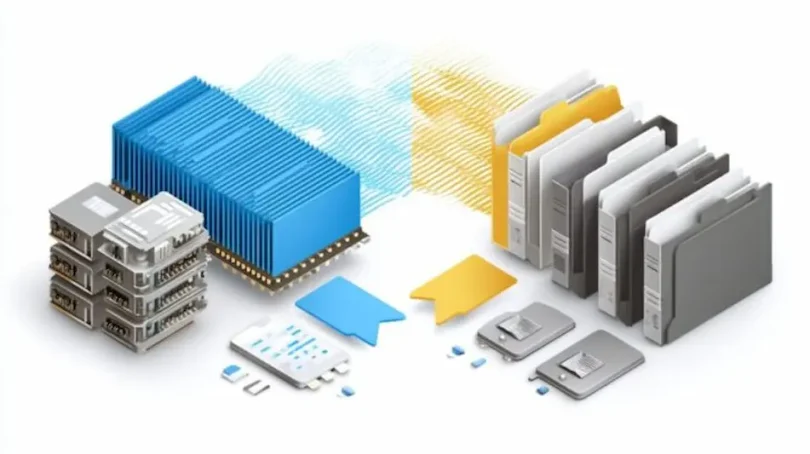
A solid-state drive, or SSD, stores data on flash memory chips with no moving parts. Modern SSDs connect either through the older SATA interface or through the much faster NVMe connection on newer motherboards. With nothing to spin up or seek across a platter, an SSD can find and deliver data almost instantly. In the SSD vs HDD comparison, that difference in design explains almost everything else: speed, silence, power use, size, and price.
Speed: The Difference You Feel Every Day
Speed is where an SSD transforms a computer. A system booting from a hard drive can take a minute or more to reach a usable desktop, while the same machine with an SSD is often ready in seconds. Programs open faster, games load levels sooner, updates finish more quickly, and copying large files takes a fraction of the time. NVMe SSDs post the highest benchmark numbers, but even a basic SATA SSD feels dramatically faster than any hard drive in everyday use.
Hard drives are not useless, though. For sequential jobs like playing a video file, storing a media archive, or holding backups, an HDD delivers data fast enough once it starts. The weakness is responsiveness: many small reads and writes, which is exactly what an operating system does all day. That is why the standard advice in any SSD vs HDD guide is to put your operating system and main programs on an SSD, even if you keep bulk files elsewhere.
Price and Capacity: Where Hard Drives Still Win
Hard drives remain the cheapest way to buy a lot of space. If you need many terabytes for video archives, photo collections, surveillance recordings, or a home media library, an HDD gives you that capacity for far less money than the same space on flash storage. Large external hard drives are also a cost-effective backup option, provided they are handled carefully and not treated as the only copy of anything irreplaceable.
SSDs win the value argument at the sizes most people actually need for a system drive. A 500GB or 1TB SSD is affordable for most buyers and large enough for Windows or macOS, everyday applications, and a healthy selection of games or working files. The smart SSD vs HDD strategy for a desktop is often both: a fast SSD for the system and current projects, plus a capacious hard drive for archives. Laptop owners with a single drive bay usually get more from choosing an SSD alone and using external or cloud storage for overflow.
Durability, Noise, and Power Use
With no moving parts, an SSD shrugs off bumps and vibration that could damage a hard drive, which makes SSDs the natural choice for laptops that travel. They are silent, use less power, and produce less heat, all of which help battery life and comfort. SSDs do have a finite number of writes per cell, but for normal home and office use that limit is so high that most drives will be retired for size or speed long before they wear out. Built-in wear monitoring lets you check drive health easily.
Hard drives can last for years in a stationary desktop or server, especially models designed for constant use, but they should be treated as mechanical devices. Keep external drives on a stable surface, avoid moving them while they are working, and listen for new clicking or grinding sounds, which are a warning to back up and replace the drive. Whichever side of SSD vs HDD you choose, no drive lasts forever, and a backup plan matters more than the technology inside the box.
Choosing for Games, Work, and Everyday Files
Gamers benefit strongly from an SSD. Modern games are designed around fast storage, load screens shrink, and open-world titles stream textures more smoothly. A hard drive can still hold a large game library, and many players move the titles they are actively playing onto the SSD. Creators working with video, audio, or large photo sets should also work from an SSD, because scrubbing through footage and opening big files from a hard drive quickly becomes frustrating.
For everyday documents and browsing, the pattern is the same, even for lighter online tasks. Whether you are following installation steps like those in the 1xbet Tunisie APK installation guide or reading a long explainer such as the FreeOnlyFans Site Bonus Breakdown, a system on an SSD simply responds faster at every step: downloads unpack sooner, the browser opens instantly, and switching between apps does not stall. Those small delays add up across a working day, which is why users who upgrade rarely want to go back.
The Verdict: More for Your Money Depends on the Job
For a main drive, the SSD vs HDD contest is settled. An SSD gives you more for your money in time saved, responsiveness, silence, and reliability, and it is the single upgrade most likely to make an older computer feel new again. Buy the largest reputable SSD that fits your budget, check whether your machine needs SATA or NVMe, and clone or reinstall your system carefully, keeping your old drive until everything is verified working.
For bulk storage, the hard drive still earns its place. Nothing else matches its price for multi-terabyte archives, backups, and media collections that do not need instant access. The best-value setup for many homes is therefore not SSD or HDD, but SSD and HDD, each doing the job it does best. Decide by role, protect both with backups, and you will get the speed you feel every day without overpaying for space you only visit once a month.