
Every year brings a flood of new processors, graphics cards, drives, and accessories, all promising to be faster than what came before. Most people do not need most of them. The real value in following computer hardware trends is knowing which changes will make a difference to the work and play you actually do, and which are only interesting on a specification sheet. This year, the most useful trends are not about chasing the highest numbers. They are about efficiency, responsiveness, connectivity, and components that stay useful for longer.
Faster Storage Has Become the Everyday Upgrade
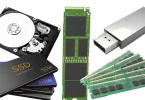
If there is one upgrade almost every user can feel, it is fast solid-state storage. Modern NVMe drives load operating systems, games, and large creative files far faster than older SATA drives and dramatically faster than mechanical hard drives. Prices have fallen enough that a spacious drive is now a realistic upgrade for a mainstream desktop or laptop, not just a high-end build. Faster storage also helps with everyday responsiveness: updates install quicker, photo libraries open sooner, and virtual machines feel less sluggish.
The key is balance. A mid-range NVMe drive in a well-cooled system will serve most people better than the fastest drive on the market squeezed into a case with poor airflow, because very fast drives can slow down when they overheat. Check that your motherboard has the right slot and supports the generation of drive you are buying. Among recent computer hardware trends, this is the one with the clearest payoff for the widest range of users, from students to small business owners.
More Memory Is the New Normal
Not long ago, 8GB of memory was enough for general use. Today, browsers with many tabs, video calls, cloud apps, and larger operating systems have pushed the sensible baseline to 16GB for a new machine, with 32GB increasingly popular for gaming, content creation, and running several demanding programs at once. Faster memory standards are spreading too, improving performance in some integrated graphics and productivity workloads, although the real-world gain depends heavily on the processor and the task.
For upgraders, the practical advice is simple. If your system regularly runs out of memory, adding capacity will help far more than buying slightly faster memory of the same size. If you are building new, leave a slot free where possible so you can add more later. This is a recurring lesson in computer hardware trends: headroom ages better than small benchmark advantages, because software rarely gets lighter over time.
Processors Are Getting More Efficient, Not Just Faster
Processor makers now compete as much on performance per watt as on raw speed. That matters for everyone. In laptops, efficient chips mean longer battery life, quieter fans, and sustained performance without uncomfortable heat. In desktops, efficiency means a capable machine that does not turn a small office into a sauna or send electricity bills climbing. Hybrid designs that combine high-performance cores with efficiency cores are now common, letting the system use heavy power only when a task truly needs it.
Built-in graphics and dedicated AI acceleration are part of the same story. Integrated graphics on modern processors can handle everyday gaming at modest settings, video editing, and multiple high-resolution displays without a separate card. AI features in software, from photo enhancement to transcription and background effects on calls, increasingly use on-device acceleration. You do not need to buy hardware for AI alone, but a modern processor gives you those features without the slowdowns older chips can suffer when software leans on them.
Graphics Cards: Buy for Your Monitor, Not the Hype
Graphics cards still dominate gaming headlines, but sensible buying has become more important than ever. Match the card to your monitor resolution and refresh rate, the games you play, and the settings you are happy with. A card that is perfect for a 1080p display is wasted money if you never plan a higher-resolution screen, while a premium card paired with an old, slow processor will not reach its potential. Creators should also check software support, video encoding features, and memory capacity, which matter for editing timelines and 3D work.
Creators building an audience online face similar choices about value. Our practical guide on How to Build the Best OnlyFans Page looks at features, pricing, and setup from the creator side, and the hardware lesson is the same: a reliable camera, good lighting, clear audio, and fast upload storage usually improve results more than the most expensive graphics card. Spend first on the bottleneck your audience or your customers will actually notice.
Better Displays, Webcams, and Audio for Hybrid Work
One of the quieter computer hardware trends is how much everyday peripherals have improved. High-resolution external monitors with accurate colours are cheaper, USB-C docking with a single cable for power, display, and accessories is common, and mechanical keyboards, ergonomic mice, and proper headsets are easier to justify for people who work at a desk all day. A good monitor reduces eye strain and makes multitasking easier in a way no processor upgrade can match.
The same applies to calls and content. If you present, teach, stream, or record, a decent webcam, microphone, and light will transform how you come across. Readers exploring our guide to the Best OnlyFans Girl: Practical Guide will see how much presentation and consistency matter for creators, and hybrid workers benefit from exactly the same basics. Before replacing a whole computer that feels dated in meetings, upgrade the parts people see and hear you through.
Connectivity Is Catching Up With Everything Else
Faster Wi-Fi, more USB-C and Thunderbolt ports, and better Bluetooth have removed many old frustrations. Modern wireless is fast enough for large downloads and cloud work when the router and the computer both support it, and a single dock can turn a laptop into a tidy desktop setup. When buying, count your ports honestly: external drives, monitors, headsets, and chargers add up quickly, and a machine with too few ports creates daily friction that no benchmark will warn you about.
Repairability and longevity deserve a mention too. More buyers now ask whether memory, storage, and batteries can be replaced, and more manufacturers are publishing manuals and parts. A machine you can open, clean, and upgrade will usually outlast a sealed one with slightly better launch-day specifications. That may be the healthiest of all computer hardware trends, because the best upgrade is often the one you do not need to make yet. Choose components with headroom, buy for your real workload, and your next upgrade can be a planned improvement rather than an emergency replacement.